Skip to content
View in the app

A better way to browse. Learn more.

U.S. Militaria Forum

A full-screen app on your home screen with push notifications, badges and more.

To install this app on iOS and iPadOS
  1. Tap the Share icon in Safari
  2. Scroll the menu and tap Add to Home Screen.
  3. Tap Add in the top-right corner.
To install this app on Android
  1. Tap the 3-dot menu (⋮) in the top-right corner of the browser.
  2. Tap Add to Home screen or Install app.
  3. Confirm by tapping Install.

GWOT 3/75th Ranger Regt. Private's Uniform

Featured Replies

#1

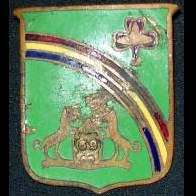
This one is about as nice as it gets. Comes with 3/75th Infantry collar disc, infantry shoulder cord, three 75th Ranger Regt. DUIs, and 3/75th scroll. There is no Ranger tab as it appears he was assigned to the 3rd Battalion as a part of Ranger selection. It is missing the jump wings, background trimming, and marksmanship badge. I'm considering replacing these, but haven't made up my mind yet.

DSCF9376.JPG

DSCF9377.JPG

DSCF9380.JPG

DSCF9383.JPG

DSCF9385.JPG

DSCF9386.JPG

DSCF9390.JPG

DSCF9397.JPG

DSCF9398.JPG

  • 2 weeks later...
  • Author
#2

Just replaced the jump wings and oval. I will probably add a marksmanship badge at some point.

20240714_150204.jpg

Create an account or sign in to comment

Account

Navigation

Search

Search

Configure browser push notifications

Chrome (Android)
  1. Tap the lock icon next to the address bar.
  2. Tap Permissions → Notifications.
  3. Adjust your preference.
Chrome (Desktop)
  1. Click the padlock icon in the address bar.
  2. Select Site settings.
  3. Find Notifications and adjust your preference.