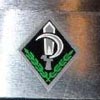
June 30, 20242 yr #1 A little embarrassed that I can't ID a somewhat generic US Navy button, but say hey, I am getting old and my research skill are not what they use to be. Also embarrassed about my photographic skills for pretty much the same reasons. Button is the typical very dark coast button seen in the second photo, about 7/8" across.
August 8, 20241 yr #3 I've not only seen these before but I have a stringbag full of them somewhere in storage I believe that they were used on the denim dungaree jackets circa 1930-1950
August 8, 20241 yr #5 Okay, I stand corrected. I checked in Albert and he has this as NA 141 and was used exclusively on dungarees. Apparently the Coast Guard had an equivalent button because Dag has it in his important posts here: https://www.usmilitariaforum.com/forums/index.php?/topic/173001-us-military-uniform-buttons-interesting-facts/
August 8, 20241 yr #6 On 6/30/2024 at 9:18 AM, M60 Driver said: A little embarrassed that I can't ID a somewhat generic US Navy button, but say hey, I am getting old and my research skill are not what they use to be. Also embarrassed about my photographic skills for pretty much the same reasons. Button is the typical very dark coast button seen in the second photo, about 7/8" across. PS - looks like the bakelite WWII version, not the interwar metal version





Create an account or sign in to comment