Skip to content
View in the app

A better way to browse. Learn more.

U.S. Militaria Forum

A full-screen app on your home screen with push notifications, badges and more.

To install this app on iOS and iPadOS
  1. Tap the Share icon in Safari
  2. Scroll the menu and tap Add to Home Screen.
  3. Tap Add in the top-right corner.
To install this app on Android
  1. Tap the 3-dot menu (⋮) in the top-right corner of the browser.
  2. Tap Add to Home screen or Install app.
  3. Confirm by tapping Install.

71st Division bring backs

Featured Replies

#1

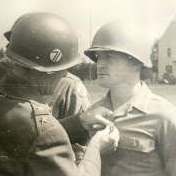
Sharing the bring backs of 71st Division, Sgt. Woody Thomas who also happens to be my grandfather. Wish I knew the stories on how and where he got these, but that will remain a mystery. Obviously a wide arrange of items which at one point included some firearms, but those were sold before my mom was born (no capture papers that I have ever seen, but was told he had a few firearms that accompanied his trip home). The German RAD flag is cut-down from its original size.


There is also a set of brass knuckles that may be German made, but not sure. I'll get a photo of those tonight.


The last photo is a work in progress on a current display. I need to work on the framing for the division map, but it works for now.


Let me know your thoughts!


20230821_085243.jpg.bbfcdbd478e773a4056f9861a17cb2fd.jpg20230821_085916.jpg.f6085831d0f883655767f266cbcfcebb.jpg20230821_090124.jpg.3418af8ee405044c7d2ee4ed577041c6.jpg

20230606_141425.jpg.3d968ba1e5646f453de45ba9d384107c.jpg20230821_102249.jpg.7cc83120c33e1249f4bded12ea6aa59a.jpg


  • Author
#2

The gun pictured above is some sort of starter pistol that I believe is German made. Please correct me if I am wrong.


#3

Wow that is really a neat grouping! It’s great to see the photo of your grandfather too with the group. Thanks for sharing with us!

Paul

#4

You are very fortunate.

#5

Very cool family history bringbacks!


Frank

#6

You have some really nice stuff there and it's Ided too !

Create an account or sign in to comment

Account

Navigation

Search

Search

Configure browser push notifications

Chrome (Android)
  1. Tap the lock icon next to the address bar.
  2. Tap Permissions → Notifications.
  3. Adjust your preference.
Chrome (Desktop)
  1. Click the padlock icon in the address bar.
  2. Select Site settings.
  3. Find Notifications and adjust your preference.