August 8, 20214 yr #1 Does anyone know what B 304 yellow painted on the front would indicate? Landing craft number or what?
August 8, 20214 yr #2 There's a whole thread on here (pinned in this section I believe) that talks about the different color/insignia on Mavy helmets. Its like 11 pages + long. Thr Navy helmets are limitless in their possibilities or so it would seem.
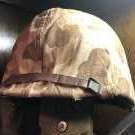
August 8, 20214 yr Author #3 Here is the front pics. Won't have it in hand until Wednesday. B 304 painted on in yellow.
August 9, 20214 yr #4 Many of these markings mean something to the boat they were on (Gunners position a gunners position for example) and their meanings are lost to time friend. I saw this one for sale to. Its all speculation what this would mean unless you knew the Vet who wore it unfortunately Z
August 9, 20214 yr Author #5 2 hours ago, Paddyd00 said: Many of these markings mean something to the boat they were on (Gunners position a gunners position for example) and their meanings are lost to time friend. I saw this one for sale to. Its all speculation what this would mean unless you knew the Vet who wore it unfortunately Z I agree, but just something different to add to my collection. 2nd edition Hawley liner with a FB Navy pot. I like it!
August 9, 20214 yr #6 11 minutes ago, spagg said: I agree, but just something different to add to my collection. 2nd edition Hawley liner with a FB Navy pot. I like it! Its a good one indeed Duder. I have many USNs that I have no idea what they mean ... only speculation but that doesnt detract from how killer they are .... Like this example here :) Z





Create an account or sign in to comment