Skip to content
View in the app

A better way to browse. Learn more.

U.S. Militaria Forum

A full-screen app on your home screen with push notifications, badges and more.

To install this app on iOS and iPadOS
  1. Tap the Share icon in Safari
  2. Scroll the menu and tap Add to Home Screen.
  3. Tap Add in the top-right corner.
To install this app on Android
  1. Tap the 3-dot menu (⋮) in the top-right corner of the browser.
  2. Tap Add to Home screen or Install app.
  3. Confirm by tapping Install.

Capt. Charles B Bishop

Featured Replies

#1

Hi Guys

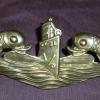
Well dont remember if i shared this awesome grouping before,but thought it would be an appropriate time do do so being June 6. Approrox 2 yrs ago i was lucky enough to be able to locate the shoulder boards of Captain Bishop and over the next two yrs have been able to find othe items of his,all of which are in the posted photos. A few days ago Thanks to a fellow forum member i was Lucky enough to add his academy uniform. Capt Bishop had an amazing career as a submariner. Thank You Sir for Your Service!

bishop1.jpg

bishop2.jpg

bishop3.jpg

bishop5.jpg

bishop6.jpg

bishop7.jpg

bishop.jpg

  • Author
#2

Todays Update:

Thanks to a fellow collector was able to reunite this uniform of Capt. Bishop to the collection.

bishop jacket.jpg

bishop bar.jpg

#3

thats outstanding jay,it's great when things come together..........dave

  • Author
#4

Thanks Dave, its been over a two yr process reuniting this stuff.  Jay

Create an account or sign in to comment

Account

Navigation

Search

Search

Configure browser push notifications

Chrome (Android)
  1. Tap the lock icon next to the address bar.
  2. Tap Permissions → Notifications.
  3. Adjust your preference.
Chrome (Desktop)
  1. Click the padlock icon in the address bar.
  2. Select Site settings.
  3. Find Notifications and adjust your preference.