August 30, 201015 yr #26 I was wondering about those New York medals.All I notice was all those has marks.In California we don't have a Navy militia I have heard if the Coast Guard auxiliary some one I know that was in that gave me a card thought I mite be interested to join not my thing I never called I got to get paid.
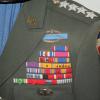
September 22, 201015 yr #27 I would like to see a closeup of the photograph, with him wearing his awards! Thank you for sharing this awesome set.
February 10, 201115 yr #28 Can you post some pics of the uniforms especially the dress ones. I love things like this, and damn that guy served for a long time! The awards prove it :thumbsup:
February 11, 201115 yr #29 After looking at all of these, my "most hashmarked" uniform looks rather pathertic. These two belonged to SgtMaj Leonard Curcey. He entered the Marines in 1919, and served through about 1950 when he retired. He did a lot of sea-going duty but was in Nicaragua with Chesty Puller. Anyway, here it is.
February 11, 201115 yr #30 Maybe if I put all these together it might come close to Chris' long-serving Chief.
February 12, 201115 yr #32 I always liked the long serving CPO uniforms, seems to be an under appreciated area of collecting.
February 12, 201115 yr #33 I always liked the long serving CPO uniforms, seems to be an under appreciated area of collecting. I have to say something here, the original uniform does NOT indicate time served in the US Navy. It shows time in the NYSM. Very different. Steve Hesson



Create an account or sign in to comment