Skip to content
View in the app

A better way to browse. Learn more.

U.S. Militaria Forum

A full-screen app on your home screen with push notifications, badges and more.

To install this app on iOS and iPadOS
  1. Tap the Share icon in Safari
  2. Scroll the menu and tap Add to Home Screen.
  3. Tap Add in the top-right corner.
To install this app on Android
  1. Tap the 3-dot menu (⋮) in the top-right corner of the browser.
  2. Tap Add to Home screen or Install app.
  3. Confirm by tapping Install.

Identified M 422 A USN Flight Jacket

Featured Replies

#1

I just purchased my first WWII jacket from a fellow forum member.

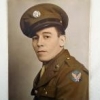
It's identified to David W. Kersting. It has a few extras along with it.

I was hoping to get more information on Dr. Kersting.

All I was able to find was that he was born in Ohio in 1915 and passed away in 1998.

He was buried in the Milwaukee, WI area and became a physician after WWII.

Any further information would be appreciated!!!


post-157366-0-44760100-1515725070_thumb.jpg

  • Author
#2

Tag

post-157366-0-49744300-1515725099_thumb.jpg

  • Author
#3

Documents


post-157366-0-70310300-1515725140_thumb.jpg

  • Author
#4

Back of photo


post-157366-0-63007600-1515725167.jpg

  • Author
#5

Name

post-157366-0-50187400-1515725186.jpg

#6

Can't help wiith the research, but that is a very nice example of a M422A! Congrats

Create an account or sign in to comment

Account

Navigation

Search

Search

Configure browser push notifications

Chrome (Android)
  1. Tap the lock icon next to the address bar.
  2. Tap Permissions → Notifications.
  3. Adjust your preference.
Chrome (Desktop)
  1. Click the padlock icon in the address bar.
  2. Select Site settings.
  3. Find Notifications and adjust your preference.